Ask your assistant, get the numbers the pages show
sumwerk speaks the Model Context Protocol. Connect Claude or any other assistant that supports it, and questions about revenue and customers are answered from your live data, with the same definitions as the dashboard, not from a spreadsheet somebody exported last month.
Start free Connect Claude in two minutes Free during early access. Read-only Stripe key, hosted in Germany.
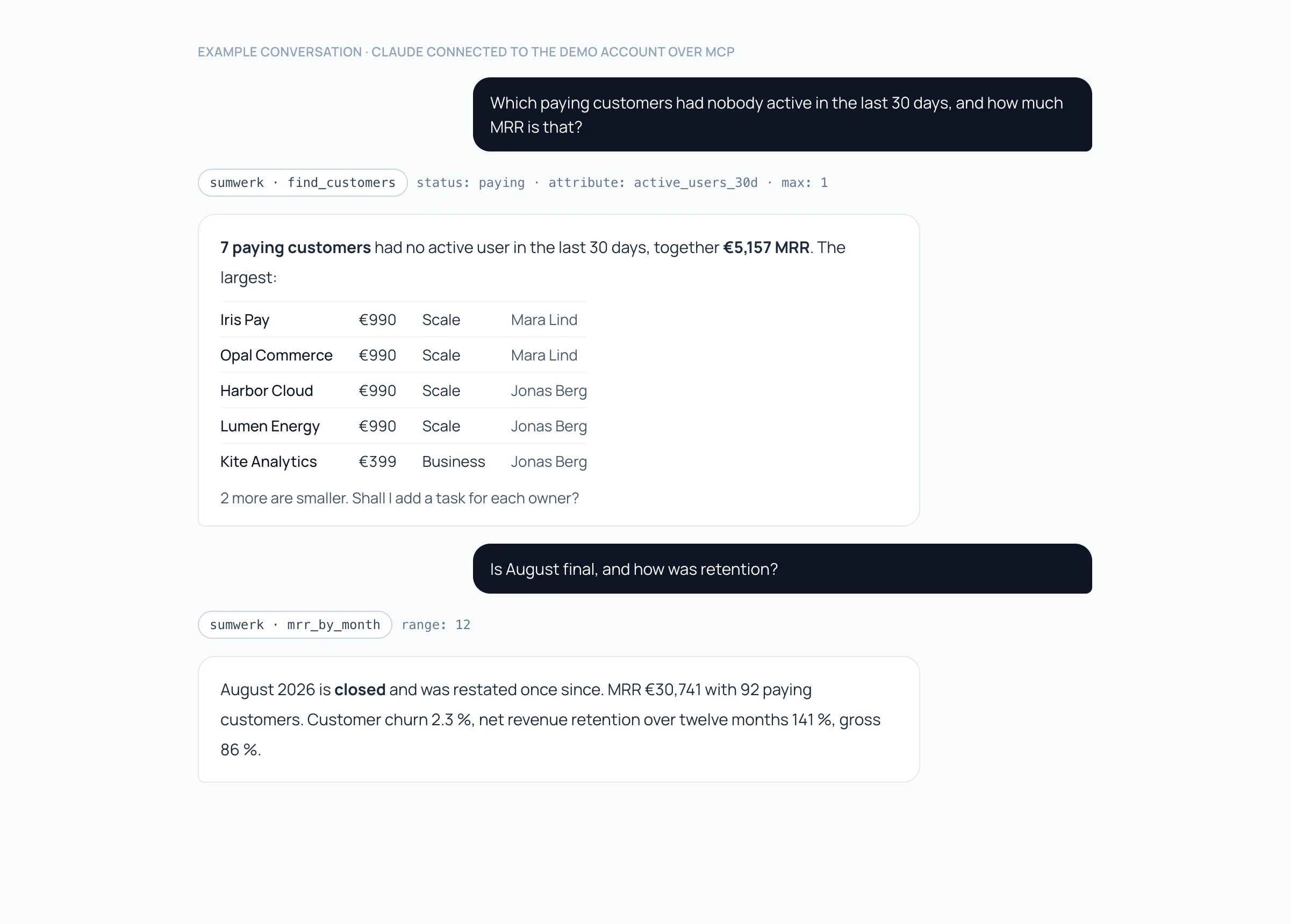
Questions instead of reports
Which paying customers had nobody active in the last 30 days, and who owns them? Why did MRR drop in August: name the five largest movements. Compare churn of agencies and in-house teams. What do we know about this customer before my call at three? The assistant picks the tools, sumwerk answers with its own numbers.
The tools behind it
MRR by month with closed months, restatements and the retention rates; single MRR movements with their cause and Stripe references; customer search by status, owner, plan, tag or any attribute; one customer in full; segments; the trial funnel; revenue at risk including your own rules; the team's tasks. With a read-and-write token the assistant can also add a note or a task.
The same permissions as the API
An assistant connects with an API token and sees exactly the account of that token. A read-only token can only read. Give every person their own token, named after them, and revoke one without stopping the others. A token from a sandbox lets an assistant try things on test data only.
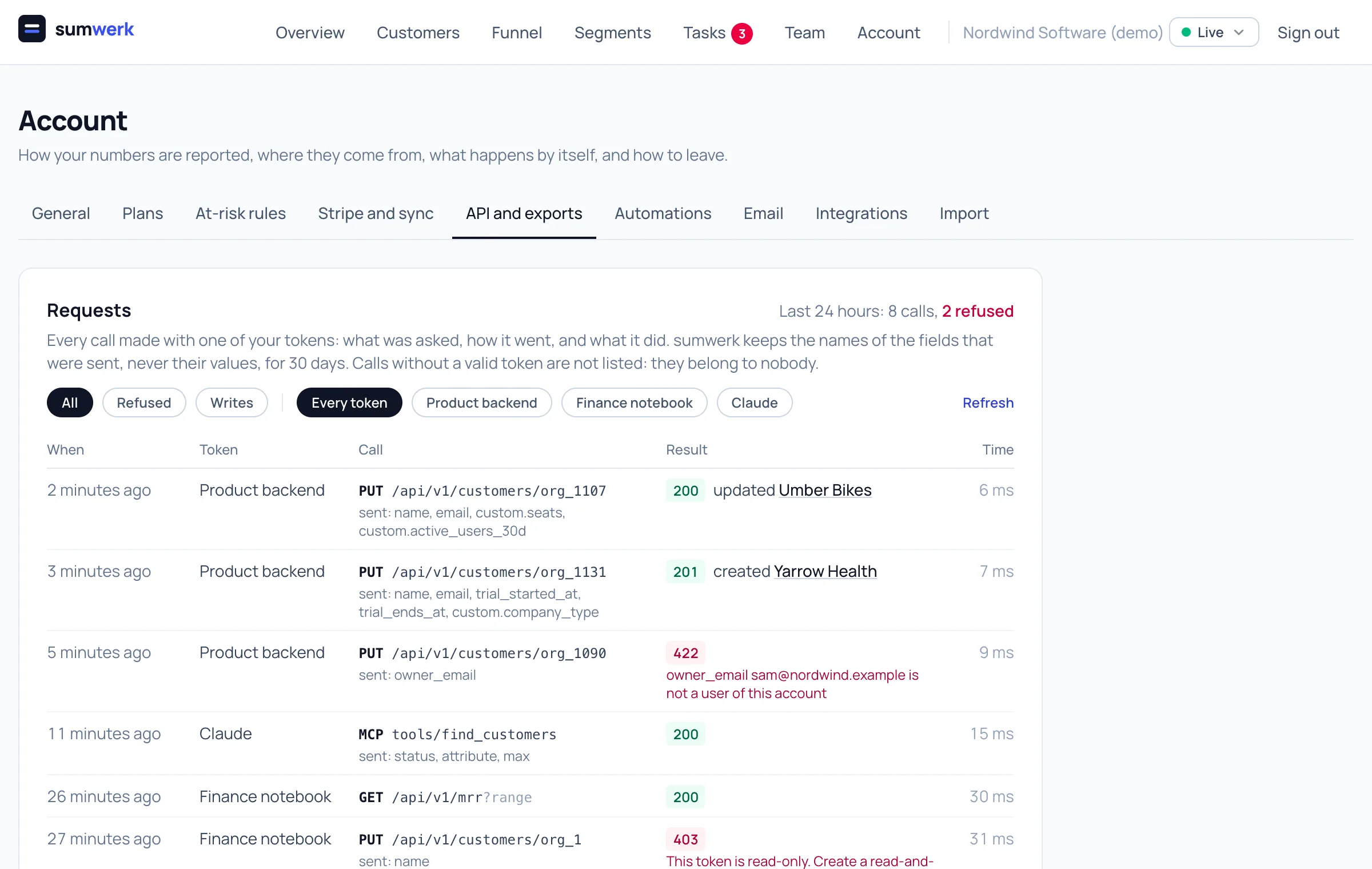
You see what it asked
Every tool call is listed under Account, API and exports, Requests: which token, which tool, the names of its arguments, how it went. Names, never values.
Two minutes to set up
One command in Claude Code, a few lines of configuration in Claude Desktop, and the same address for every other MCP client: Streamable HTTP, the token in the Authorization header.
Questions
- Which assistants work?
- Any client that supports the Model Context Protocol over Streamable HTTP. The guide shows Claude Code and Claude Desktop.
- Can the assistant change my data?
- Only with a read-and-write token, and then only what the API allows, notes and tasks. It can never touch Stripe, because sumwerk itself cannot.
- Where does my data go?
- sumwerk answers the client you connected, nothing else. What the assistant's provider does with a conversation is governed by your agreement with them, so check that before you connect customer data.
- Are the numbers the same as on the dashboard?
- Yes. The tools call the same code as the pages and the API.
Goes well with
- APIPull MRR, movements and customers out of sumwerk, push leads, trials, product usage, notes and tasks in, manage automations and receive signed webhooks.
- SandboxesOne sandbox for staging, one per developer. The same team and settings, their own data and swk_test_ tokens. No email leaves, nothing reaches your numbers.
- Segments and plansPaying customers, MRR, churn and trial conversion per plan, billing interval, owner, tag or any attribute you send. Every row opens its customers.
Connect Stripe and check your own numbers
A restricted, read-only key is all it takes. The first import runs in a few minutes; every number you see opens into the customers and Stripe references behind it.