Somewhere to try things that is not production
The day you connect your product to an analytics tool, staging needs somewhere to write. In sumwerk every account can have sandboxes, as many as you need, each a separate account with your team and your settings.
Start free Read the sandbox guide Free during early access. Read-only Stripe key, hosted in Germany.
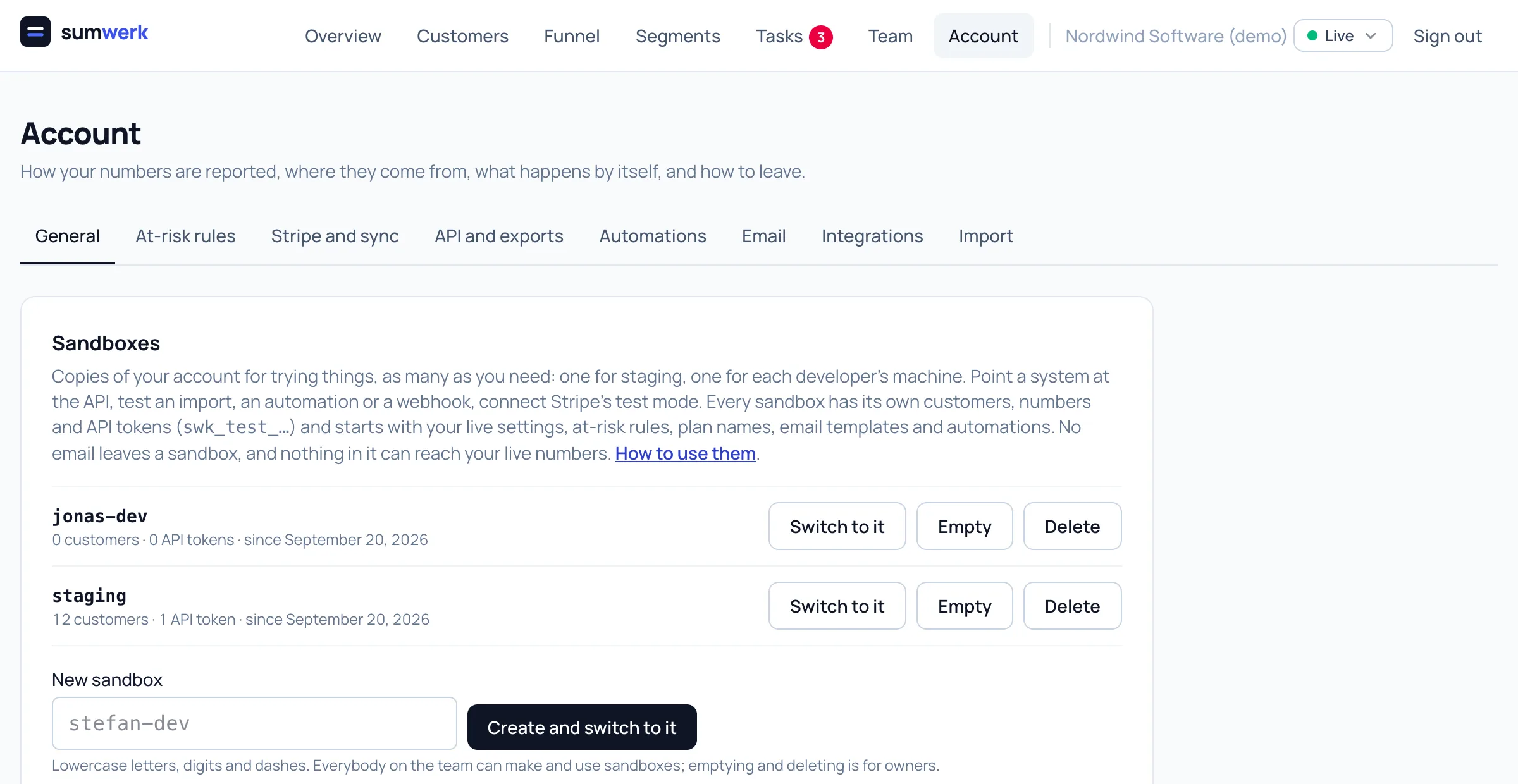
One for staging, one for every developer
Give a sandbox a name and switch to it from the header. It starts with your live settings: reporting, month close, at-risk rules, plan names, attribute descriptions, email templates and automations. No customer data is copied.
Tokens that cannot be mistaken
A token made in a sandbox starts with swk_test_ and only ever sees that sandbox. The address and the calls are the same as in production, and every answer says which mode it came from. In your configuration that is one variable per environment.
Safe by construction
A sandbox is a separate account, not a flag on your data, so test sign-ups cannot end up in your MRR or your funnel. No email leaves a sandbox, Stripe only connects with a test-mode key, and webhooks still fire, because that is what you want to test.
Start again whenever you like
Empty a sandbox and it starts again from your live settings of that moment. Its tokens keep working, so staging does not need a new one.
Questions
- How many can I have?
- Ten per account. Everybody on the team can make and use them; emptying and deleting is for owners.
- Can I copy live customers into a sandbox?
- Not with a button, on purpose. Real customer data does not belong next to test data; the CSV export and the API are enough to bring over a handful.
Goes well with
- APIPull MRR, movements and customers out of sumwerk, push leads, trials, product usage, notes and tasks in, manage automations and receive signed webhooks.
- AutomationsWhen a trial starts, a payment fails or a cancellation is scheduled, sumwerk adds a task, sets the owner, tags the customer or calls your webhook.
- CustomersA customer in sumwerk exists independent of Stripe: leads and trials from your product, several Stripe customers under one record, attributes, tags, owners.
Connect Stripe and check your own numbers
A restricted, read-only key is all it takes. The first import runs in a few minutes; every number you see opens into the customers and Stripe references behind it.