Write to customers where you see what they pay
The welcome after sign-up, the nudge in a quiet trial, the question after a cancellation. Templates, sequences and single emails, sent in your name, with every one of them on the customer's timeline.
Start free Set up sending from Google Free during early access. Read-only Stripe key, hosted in Germany.
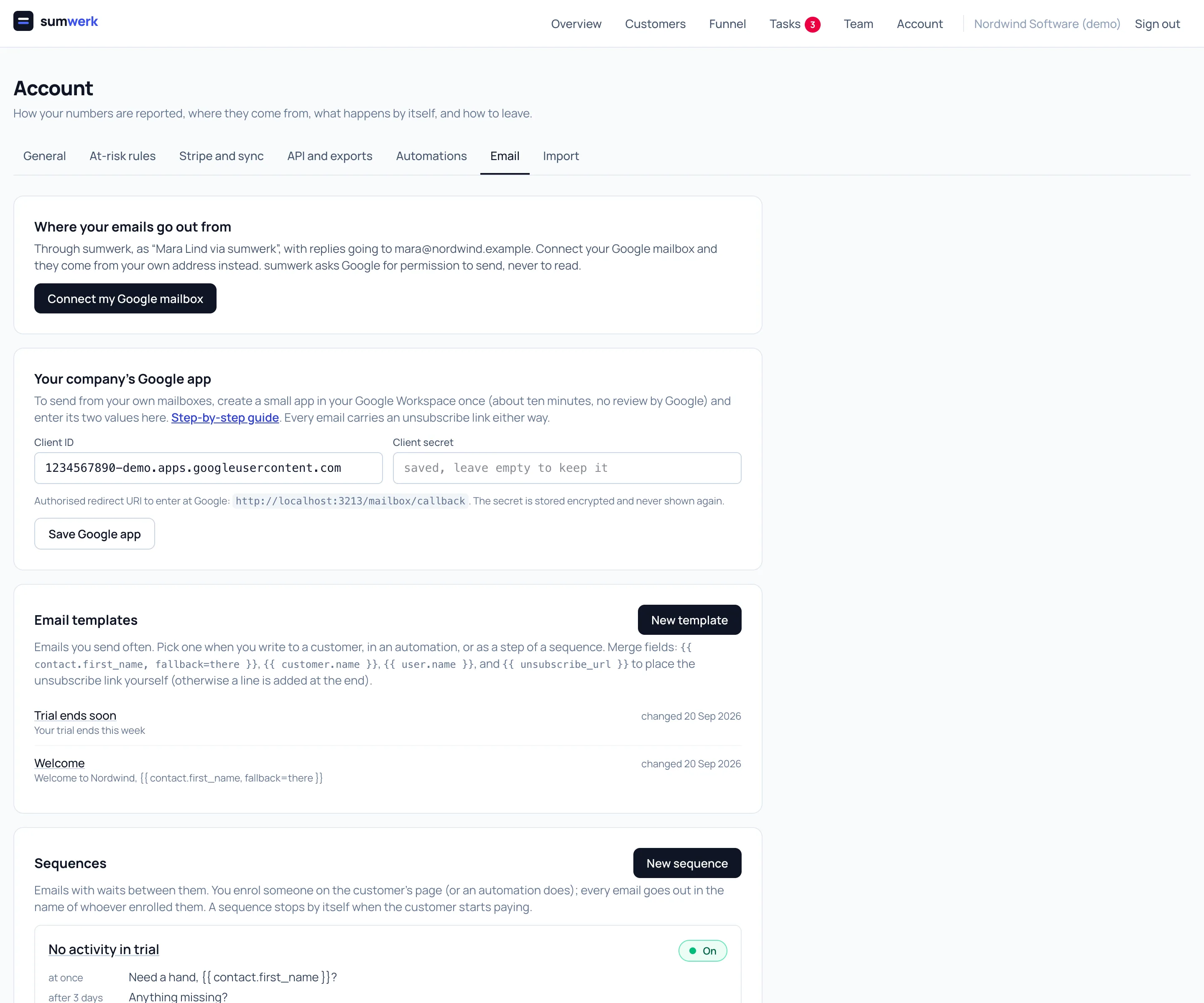
Templates with merge fields
Write an email once: subject, rich text, and fields such as the contact's first name, the customer's name or your own name, each with a fallback for when it is empty. A typo in a field name is refused when you save, not discovered by a customer.
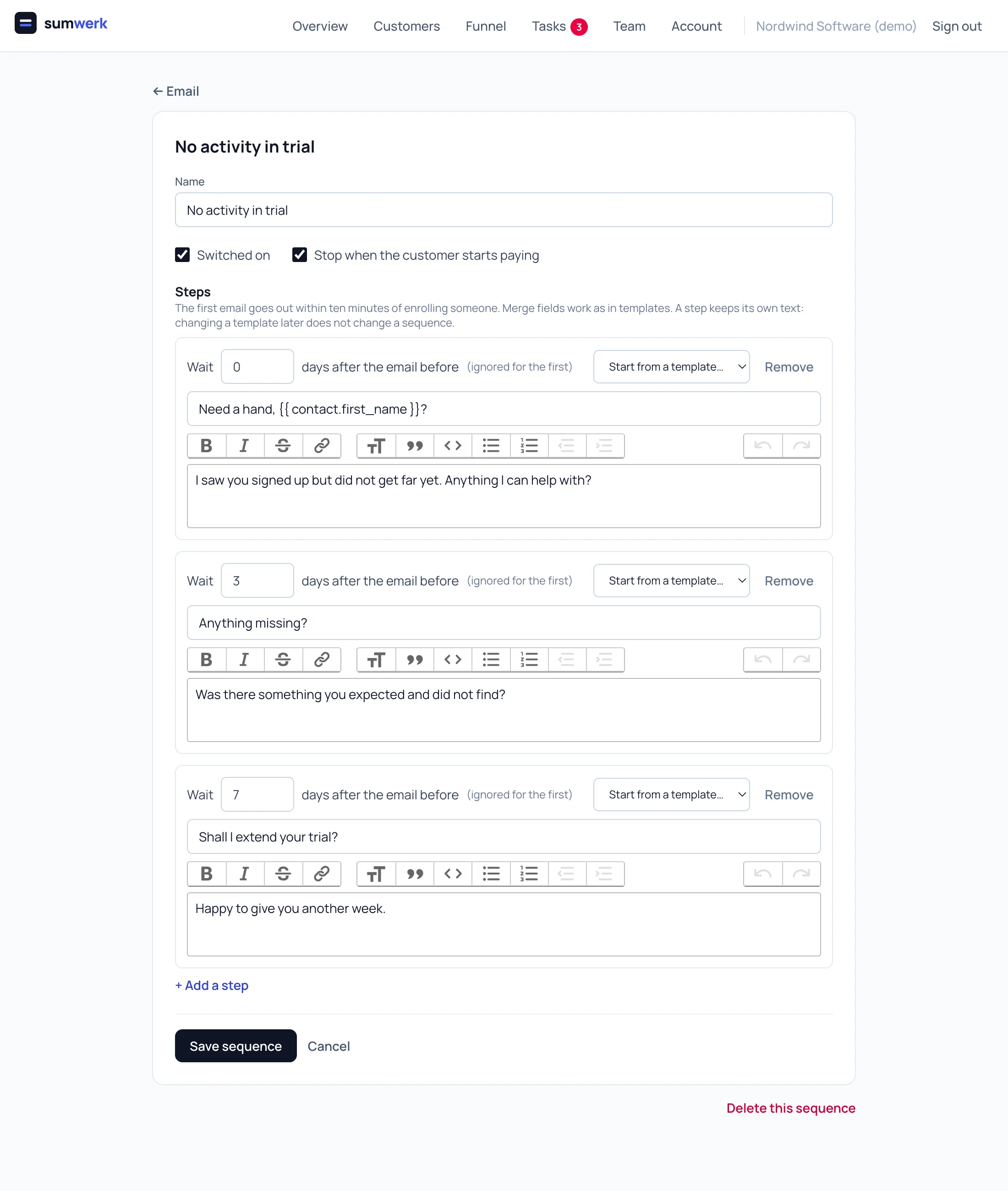
Sequences with waits
A sequence is a list of emails with days between them. You enrol someone on the customer's page, or an automation does. Every email goes out in the name of whoever enrolled them. A sequence stops by itself when the customer starts paying, when the person must not be emailed, or when you stop it.
From your own mailbox
Connect your Google mailbox and your emails come from your own address, sit in your Sent folder, and replies are an ordinary conversation. sumwerk asks Google for permission to send, never to read. Without a connection they go out as “you via sumwerk”, with replies going to you.
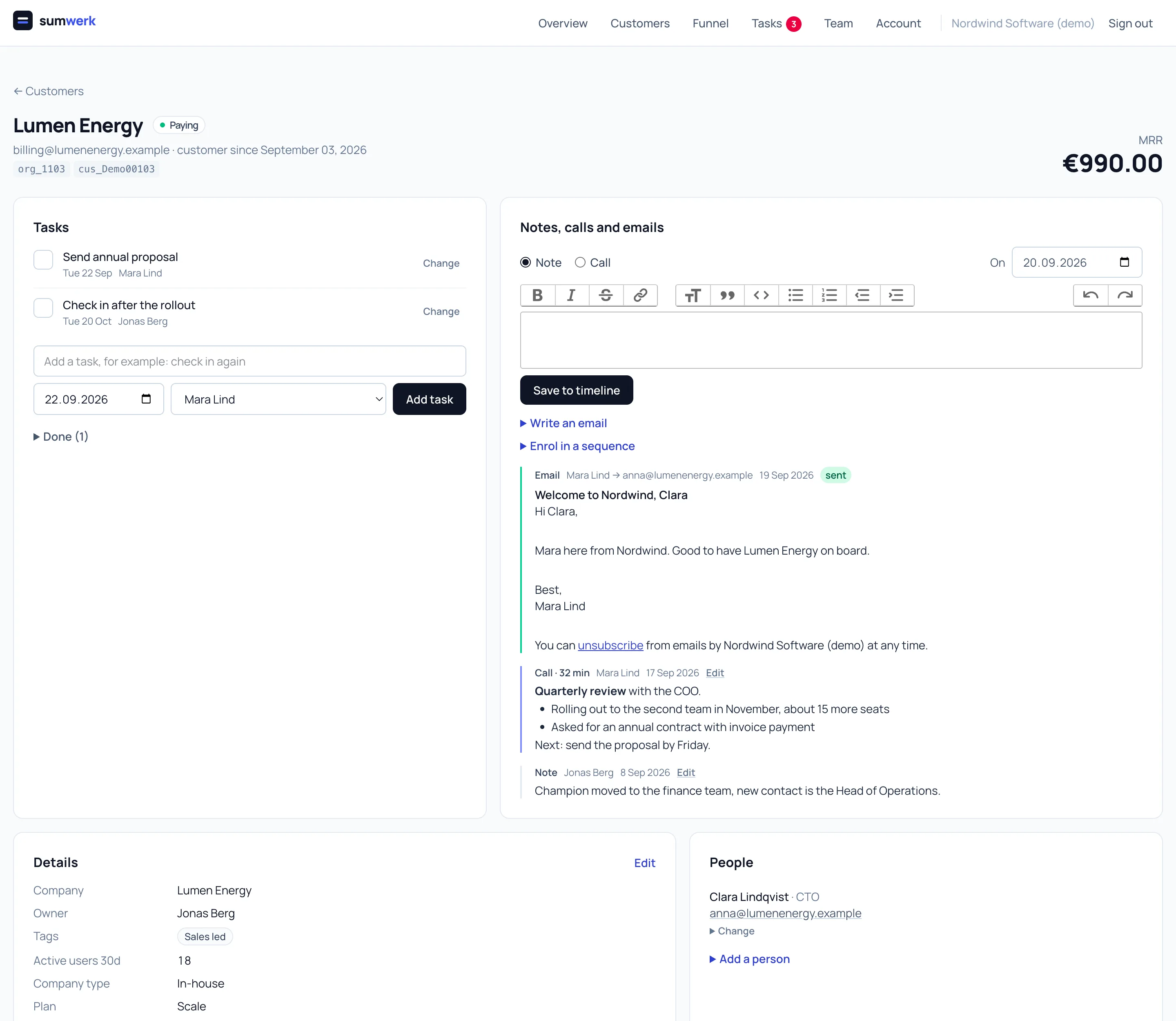
On the timeline, with the revenue
Every email, whether a person, an automation or a sequence sent it, is on the customer's page next to notes, calls, tasks and the MRR ledger, with whether it went out.
An unsubscribe link in every email
Whatever an automation or a sequence sends carries an unsubscribe link, and mail programs show their own one-click button next to the sender. Someone who unsubscribes gets nothing more: no single email, no automation, no sequence, and running sequences stop for them. You can mark a person do not email by hand too.
Questions
- Does a sequence stop when the person replies?
- No. sumwerk cannot read mailboxes, on purpose. It stops when the customer starts paying or when you stop it.
- Are opens and clicks tracked?
- No.
- How do I set up sending from Google?
- Once per company, in about ten minutes, with an app inside your own Google Workspace. No review by Google is needed. The guide is in the docs under "Send from your own Google mailbox".
- Is it in the API?
- Yes - templates, sequences, sending, enrolling and stopping.
Goes well with
- AutomationsWhen a trial starts, a payment fails or a cancellation is scheduled, sumwerk adds a task, sets the owner, tags the customer or calls your webhook.
- Tasks and notesWrite notes, log calls with their length and keep tasks per customer in sumwerk - with the MRR, the ledger and the payment risk on the same page.
- CustomersA customer in sumwerk exists independent of Stripe: leads and trials from your product, several Stripe customers under one record, attributes, tags, owners.
Connect Stripe and check your own numbers
A restricted, read-only key is all it takes. The first import runs in a few minutes; every number you see opens into the customers and Stripe references behind it.