What was said and what is next, beside the revenue
The person who calls a customer should see what they pay, whether a payment failed and what a colleague noted last week. In sumwerk that is one page.
Start free Free during early access. Read-only Stripe key, hosted in Germany.
Notes and calls
Rich text with lists and links; a call is a note with a length. Anyone on the team can add to the timeline, and a call recorder or any other tool can write to it through the API.
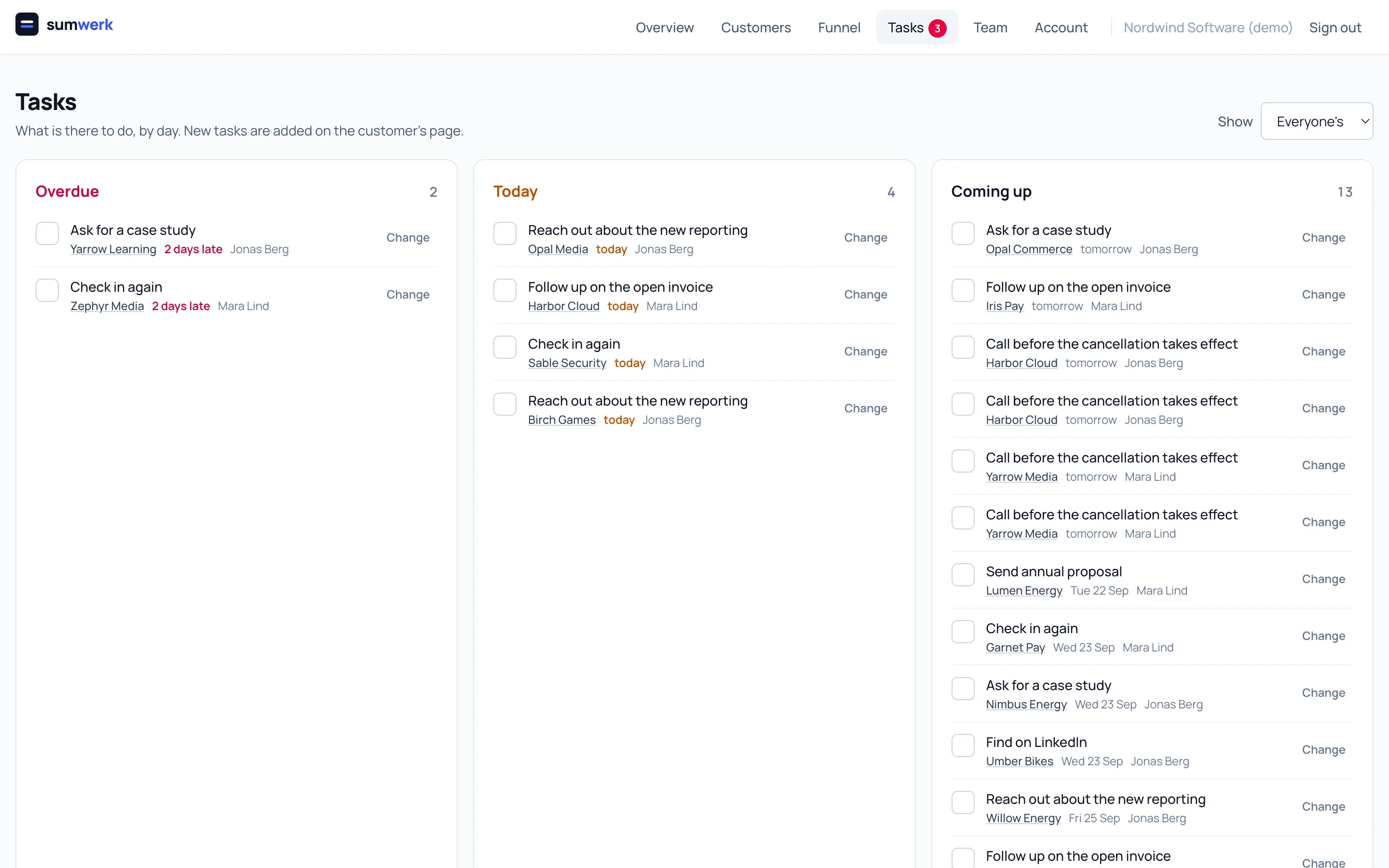
Tasks that are one line, one person, one day
Add a task on the customer, pick who and when, tick it off where you see it. The tasks page shows yours by day - overdue, today, coming up - and the menu shows how many are due.
Support conversations from Plain
Connect Plain and every customer's timeline also shows what they asked support, whether it is solved and who handles it, with a link into Plain. A new conversation can trigger an automation. In the other direction, a card in Plain shows what the customer pays, who owns them and whether money is at risk, right next to the thread.
History survives people
Authors, assignees and owners are kept by email address. Notes written by a colleague who never had a login, or who left, stay readable under their name; when someone joins with that address, their work is theirs.
Questions
- Can tasks be created automatically?
- Yes, by an automation - for example when a cancellation is scheduled or a new lead arrives - or by your own tools through the API.
- Does sumwerk replace my support tool?
- No. Conversations are answered in Plain; sumwerk reads them onto the timeline.
- Is there an opportunities pipeline?
- Not today.
Goes well with
- AutomationsWhen a trial starts, a payment fails or a cancellation is scheduled, sumwerk adds a task, sets the owner, tags the customer or calls your webhook.
- CustomersA customer in sumwerk exists independent of Stripe: leads and trials from your product, several Stripe customers under one record, attributes, tags, owners.
- MRR at risksumwerk flags revenue that still counts but is in doubt - failed and overdue payments, scheduled cancellations - by severity, without changing your MRR.
Connect Stripe and check your own numbers
A restricted, read-only key is all it takes. The first import runs in a few minutes; every number you see opens into the customers and Stripe references behind it.