When something happens to a customer, something gets done
A scheduled cancellation should reach the account's owner the same day, not in next month's churn report. Automations turn what sumwerk learns from Stripe and from your product into work for the right person.
Start free Free during early access. Read-only Stripe key, hosted in Germany.
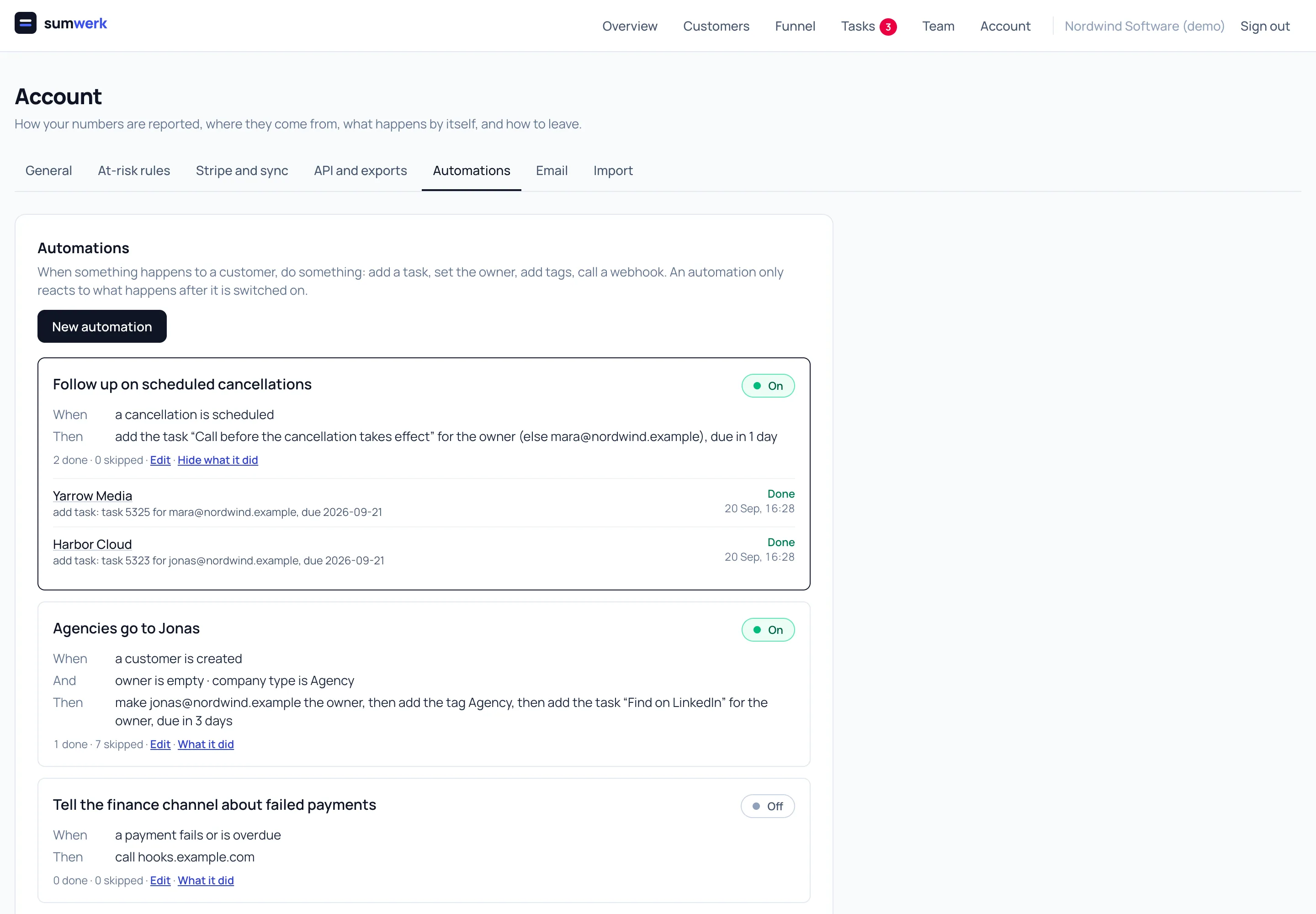
Triggers that come from the billing facts
Customer created or updated, trial started, became paying, churned, came back, cancellation scheduled or withdrawn, payment failed or recovered. sumwerk knows these because it reads Stripe; your product adds the rest through the API.
Conditions and actions
All conditions must hold: owner is empty, company type is agency, MRR above a threshold, a tag, any custom attribute. Then, in order: add a task for the owner with a fallback person and a due day, set the owner, add tags, set an attribute, send an email from a template, enrol in a sequence, call a webhook.
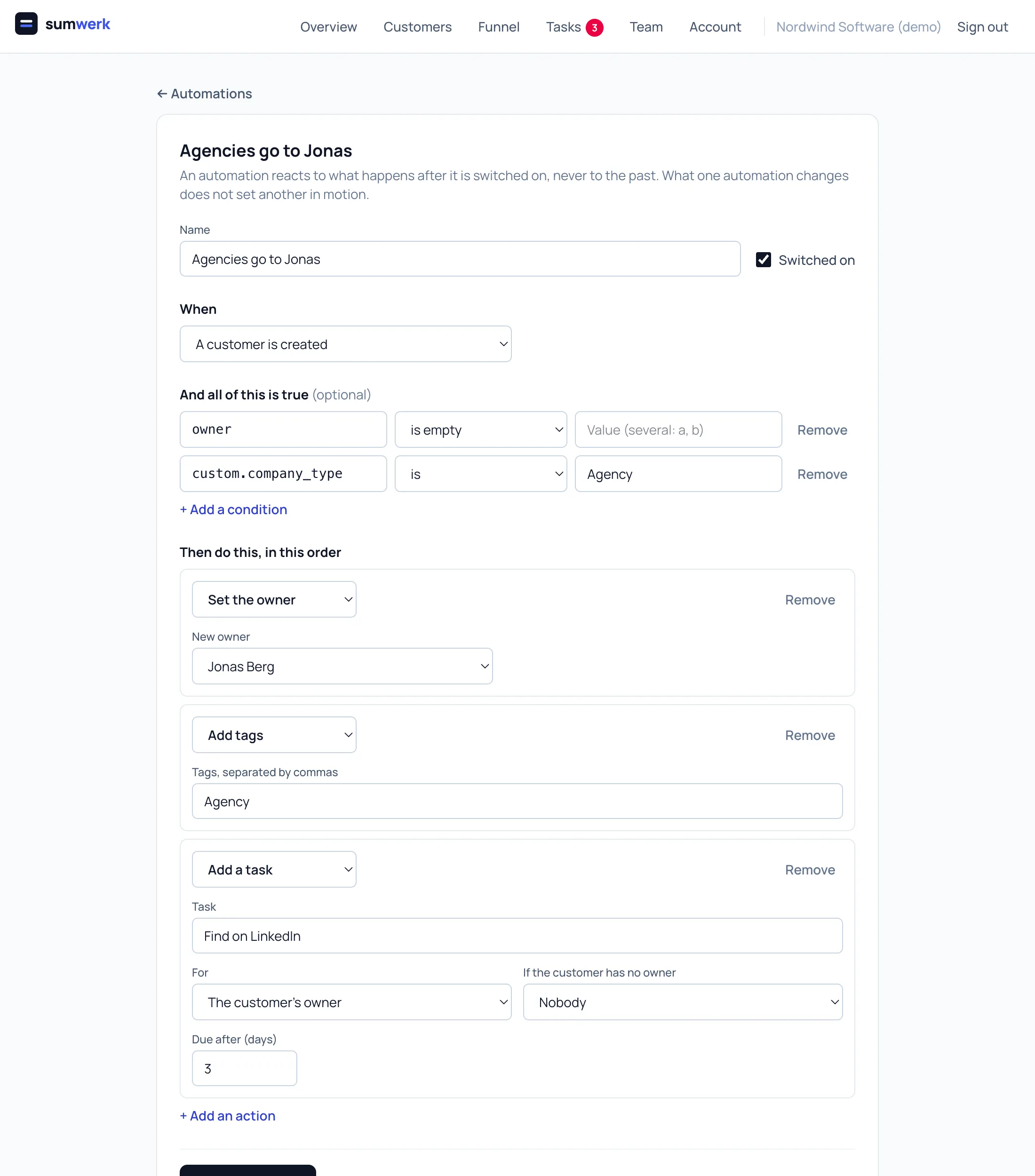
A log that answers "why not?"
Every time an automation looks at an event it writes down what it did, or which condition was not met. When a customer did not get an owner, you read the reason instead of guessing.
Safe by construction
An automation reacts to what happens after it is switched on, never to history: an import or the first sync of an account sets nothing in motion. What one automation changes never triggers another, so they cannot loop.
Webhooks for everything else
The webhook action posts the event and the customer to an address of yours, signed, over HTTPS. That is how Zapier, Slack or your own backend join in.
Questions
- Can an automation send an email?
- Yes. It sends one of your templates to the customer's first contact, from the customer's owner, or enrols the customer in a sequence.
- Is everything available through the API?
- Yes. Automations are data - you can list, create, change and delete them, and read their log, with the same validation as on screen.
Goes well with
- Email and sequencesEmail customers from sumwerk with templates and merge fields, run sequences with waits, send from your own Google mailbox, see every email on the timeline.
- MRR at risksumwerk flags revenue that still counts but is in doubt - failed and overdue payments, scheduled cancellations - by severity, without changing your MRR.
- Tasks and notesWrite notes, log calls with their length and keep tasks per customer in sumwerk - with the MRR, the ledger and the payment risk on the same page.
Connect Stripe and check your own numbers
A restricted, read-only key is all it takes. The first import runs in a few minutes; every number you see opens into the customers and Stripe references behind it.